2026 Edition · 11 tools tested

The Best Clipping Tools,
Ranked and Reviewed

We research and compare the top online, offline, and gaming clip makers so you can turn long videos into scroll-stopping clips without wasting a subscription on the wrong tool.

11Tools Reviewed
3Categories
2026Pricing Verified
0Paid Placements

Why clipping tools matter in 2026

Short-form video is still the fastest way to grow an audience, but almost nobody has time to manually scrub through a 90-minute podcast or a three-hour stream looking for the ten seconds worth posting. That's the entire reason the "clipping tool" category exists: AI models now watch your long-form footage, flag the moments with real hook potential, reframe them for vertical feeds, caption them, and hand you a batch of shorts ready for TikTok, Reels, and YouTube Shorts.

Not every tool solves the same problem, though. Some run entirely in the browser and are built for marketers and podcasters. Others are gaming-first background recorders that live on your desktop. A few sit in between — desktop apps with cloud AI baked in. We've grouped our reviews below into Online, Offline, and Gaming clipping tools so you can jump straight to what fits your workflow.

Cloud & Browser-Based

Online Clipping Tools

No installs, no local rendering — upload a file or paste a link and the AI does the rest, right in your browser. This is where most of the AI clipping category lives, and it's the best starting point for creators, marketers, and podcasters who don't want to manage software.

VD

Veed.io

veed.io · Online
Best Value
8.7 / 10
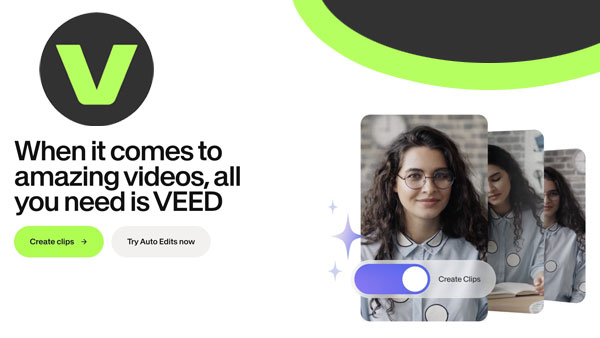
Veed video editor review dashboard showing

Veed is less a "clipper" and more a full browser-based video studio that happens to clip extremely well. Its AI Clips tool scores footage for flow, impact, and relevance, while the wider platform adds Magic Cut for filler-word removal, auto-subtitles in 125+ languages, AI avatars, and a built-in screen recorder. If you want one browser tab that goes from raw recording to polished, captioned, multi-platform clips, Veed is the most complete option here.

Pros

  • Industry-leading subtitle accuracy across 125+ languages
  • Doubles as a full editor, not just a clipper
  • Auto-resize for TikTok, Shorts, and Reels in one click

Cons

  • No offline editing — everything runs in the browser
  • Free plan exports are watermarked and capped at 720p
  • Can slow down on longer, heavier projects
All-RounderSubtitlesMarketing Teams

Pricing: Free tier · Lite from $12/mo · Pro from $24/mo

SS

Ssemble

ssemble.com · Online
Great Value
8.6 / 10
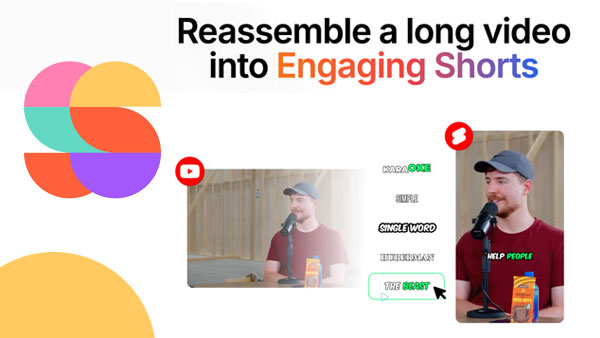
Opus Clip dashboard showing AI virality scoring on a podcast clip

Ssemble matches the AI clip-detection quality of the bigger names while charging per video instead of per minute, which makes it dramatically cheaper for anyone clipping long podcasts or webinars. It ships with the editing extras that competitors often gate behind higher tiers — B-roll, sound effects, transitions, zoom animations, CTA overlays, and game-style hook overlays — bundled into one of the lowest entry prices in the category.

Pros

  • Per-video pricing rewards longer source content
  • More built-in editing extras than most rivals at this price
  • AI clip quality holds up well against premium-priced tools

Cons

  • Brand recognition and community are smaller than Opus Clip's
  • Interface polish is a step behind category leaders
Budget PickLong-FormB-Roll

Pricing: from $7.50/mo

VZ

Vizard.ai

vizard.ai · Online
8.0 / 10
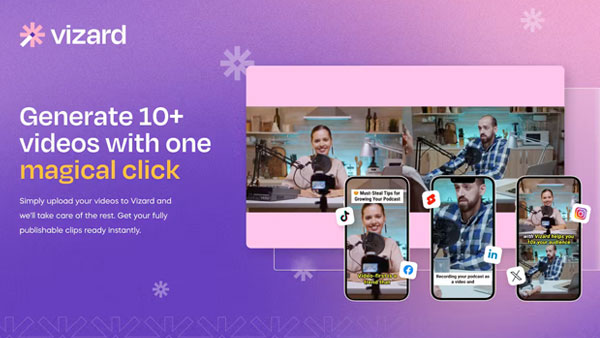
Opus Clip dashboard showing AI virality scoring on a podcast clip

Vizard leans into team workflows: shared workspaces, review-and-approve steps, and multimodal clip detection that reads visuals, audio, and on-screen text at once. It's a strong pick for agencies managing multiple clients, though the credit/per-minute pricing model means costs climb faster than per-video competitors as your volume grows.

Pros

  • Genuinely useful team collaboration and approval flow
  • Multimodal detection works beyond simple talking-head video
  • Public API available on paid plans

Cons

  • Per-minute pricing is one of the pricier models at scale
  • Reframing relies heavily on face tracking and can lose the subject during cutaways
AgenciesTeamsAPI

Pricing: Free limited tier · from roughly $20/mo

KL

Klap

klap.app · Online
7.9 / 10
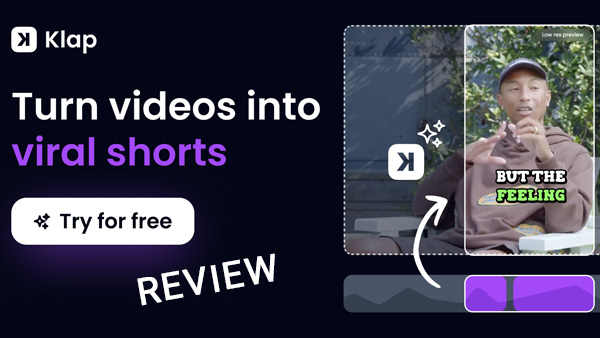
Klap Shorts Video Edit Review

Klap is purpose-built around a single, extremely simple workflow: drop in a YouTube URL and get vertical, captioned clips back. What sets it apart is unlimited free re-generation — if the AI's first pass misses the moment you wanted, you can re-run it or hand-pick a section without burning extra credits, and you can steer new clips with a plain-language prompt.

Pros

  • Free, unlimited clip regeneration and prompt-based re-clipping
  • Content-aware reframing beyond simple face tracking
  • Dead-simple UX with almost no learning curve

Cons

  • Works best with YouTube source links; less flexible with raw uploads
  • Per-video pricing can be the most expensive option for light users
YouTube-FirstSimplicity

Pricing: Starter from $14/mo (billed yearly) · Pro from $39/mo

SL

StreamLadder

streamladder.com · Online
7.7 / 10

StreamLadder is built for streamers first: paste a Twitch or YouTube link and it repackages existing clips into TikToks, Reels, and Shorts, with no watermark on the free tier. Beyond clipping, it bundles a ClipGPT assistant, a montage maker, an emote maker, and a content publisher, making it more of a streamer's social-media toolkit than a pure AI clipper.

Pros

  • Generous free tier with no watermark
  • Extra tools built specifically for streamers (emotes, montages)
  • Works directly from Twitch clip links

Cons

  • AI moment-detection is less refined than Opus Clip or Vizard
  • Best suited to streaming content specifically, not general video
StreamersTwitchFree Tier

Pricing: Free plan · paid plans for higher volume

QR

QuickReel

quickreel.io · Online
6.8 / 10

QuickReel covers the full checklist — AI clip creation, text-to-video, 20+ caption styles, 40+ caption languages, and a virality score — at a genuinely approachable price, including past lifetime-deal offers. The catch, echoed across several independent reviews, is processing speed: clip generation can lag noticeably behind faster competitors, especially on longer uploads.

Pros

  • Clean, approachable dashboard for beginners
  • Text-to-video generation alongside clipping
  • Competitive pricing tiers

Cons

  • Slower processing times reported by multiple reviewers
  • Occasional incomplete renders on longer source videos
BeginnersBudget

Pricing: Free tier · Pro and Pro+ paid tiers

KP

Klypse

klypse.app · Online
7.4 / 10

Klypse targets coaches, consultants, and agencies juggling multiple brands rather than solo YouTubers. Its standout feature is "hook scoring" with transparent reasoning — it shows you why a clip starts and ends where it does — plus word-perfect cuts and face tracking to keep speakers centered when converting to vertical.

Pros

  • Transparent hook-strength scoring explains its own edits
  • Free trial with no credit card required
  • Good fit for multi-brand agency workflows

Cons

  • Credit-based pricing can feel restrictive for heavy uploaders
  • Smaller font/style library than larger competitors
CoachesAgencies

Pricing: free trial (2 full videos) · credit-based paid plans

VR

Viral.day

viral.day · Online
6.9 / 10

Viral.day turns long videos into clips with the same core AI-detection workflow as its competitors, and it regularly runs limited-time free processing promotions to let new users test the full pipeline before paying. It also publishes an active blog comparing itself against the rest of the category, which is a useful secondary resource if you're cross-shopping tools.

Pros

  • Periodic free-processing promotions
  • Straightforward long-video-to-clip workflow

Cons

  • Smaller user base and track record than category leaders
  • Fewer independent, third-party reviews to verify claims against
PromotionsNewer Entrant

Pricing: check current promotions on site
Desktop & Local-First

Offline Clipping Tools

Sometimes you want an actual application on your machine — for stability, privacy, or working without a reliable connection — rather than another browser tab. These two are the strongest local-first picks we found, though it's worth noting that AI features in this category almost always still need an internet connection even when the core app runs locally.

MD

Medal.tv

medal.tv · Desktop & Mobile App
8.5 / 10

Medal is the genuine local-capture option on this list. It installs as a lightweight Windows application (100–400MB RAM footprint) that keeps a continuous local instant-replay buffer running in the background, so nothing ever leaves your PC until you choose to save or share a clip. See our full breakdown in the Gaming section below — Medal is built specifically around capturing gameplay, not general talking-head video.

Pros

  • Genuinely local capture — nothing uploads until you decide to share
  • Completely free with no watermark on core features
  • Very light resource footprint for a background recorder

Cons

  • Windows-only on desktop (mobile apps for iOS/Android exist separately)
  • Built for gameplay capture, not general video editing
Local CaptureFreeGamers

Pricing: Free · optional Premium for extra cloud storage

Built For Players

Gaming Clipping Tools

Gaming clips are their own category: you need a tool that watches your session in real time, ideally with zero setup, and can detect a clutch play or a funny fail without you touching a hotkey mid-match.

ALSO WORTH A LOOK

Veed's AI Gaming Clip Maker

If your footage is already recorded and sitting on your hard drive, Veed's dedicated gaming-clip workflow can extract highlight moments from uploaded gameplay recordings and auto-resize them for social. See the full Veed.io review above.

ALSO WORTH A LOOK

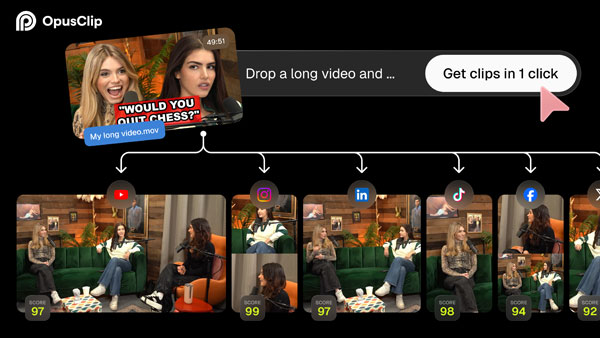
Opus Clip's ClipAnything

Opus Clip's multimodal model is explicitly trained to work beyond talking-head content, including gaming streams and sports footage. See the full Opus Clip review above.

GOOD TO KNOW

Streaming vs. Clipping

Medal captures local gameplay, not a live Twitch or Kick stream. If you stream and want your VOD auto-clipped afterward, pair Medal (for local moments) with a VOD-based clipper for your broadcast footage.

Methodology

How we review clipping tools

Every tool on this page is evaluated against the same five criteria before it earns a spot in our rankings.

01

Clip quality

Does the AI actually surface the moment a human editor would choose, or does it just chop the video into equal segments?

02

Real pricing

We look past the headline number to per-minute or per-video cost at realistic volume, and flag credit systems that expire.

03

Workflow fit

A podcaster, a streamer, and an agency need different tools. We rate each pick against who it's actually built for.

04

Independent evidence

We cross-check vendor claims against independent reviews, user forums, and app-store feedback rather than taking marketing copy at face value.

05

Own Experience

We work with reels and clipping daily and we have either tested the clipping tools listed or they where submitted for our indepent review.

Built a clipping tool?

We're always testing new online, offline, and gaming clip makers. Submit your app and we'll add it to the queue for review.

Submit Your App